
Overview
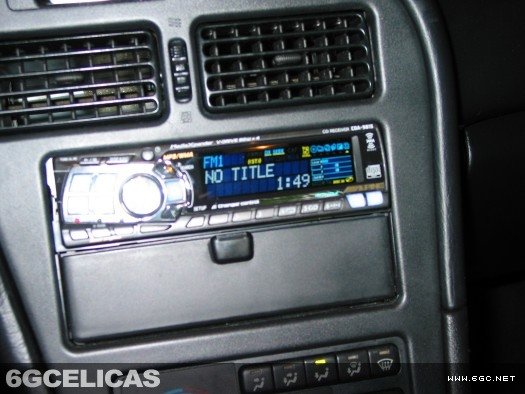
Upgrade your Celica's audio system with a modern aftermarket head unit. This comprehensive guide covers the complete installation process, including wiring harness connections, dash panel removal, and handling both factory amplified and non-amplified systems for a professional installation.
🕒 Time Required: 1 hour
💰 Cost: $50-500+ (head unit dependent)
🔧 Tools: Basic hand tools, wiring supplies
Required Tools & Materials
Essential Tools
- Phillips head screwdriver
- Flathead screwdriver (taped tip)
- Wire strippers
- Razor blade
Required Materials
- 1987+ Toyota stereo wiring harness
- Aftermarket head unit
- Electrical tape
Connection Method Options
- Professional (Recommended): Soldering iron, solder, heat shrink tubing, heat gun
- Alternative: Crimp connectors and crimping tool
- Temporary Only: Electrical tape (testing purposes)
📋 Factory Amplifier - Same Harness, Different Location
The same 1987+ Toyota wiring harness works for both amplified and non-amplified systems. The only difference is where you access the factory connectors:
Without Factory Amp
- Connect harness directly to back of old radio
- Standard accessibility behind dash
With Factory Amp
- Disconnect factory wires from amplifier
- Connect harness to same factory connectors
- May require additional trim removal for access
Step 1: Pre-Installation Wiring Preparation
Complete all wiring work before vehicle disassembly for easier handling and testing.
Acquire wiring harness:
- Purchase 1987+ Toyota stereo harness from electronics stores or online
- Harness includes two plugs: one large, one small
- Connects aftermarket stereo wires to factory vehicle wiring
Wire connection methods (in order of preference):
- Professional: Solder connections + heat shrink tubing (best reliability)
- Alternative: Crimp connectors (good reliability if quality connectors used)
- Temporary only: Twist + electrical tape (testing only - not permanent)
⚠️ Remember: Slide heat shrink tubing onto wire BEFORE soldering!
Step 2: Safety Preparation and Initial Disassembly
Safety first: Disconnect negative battery terminal before any electrical work to prevent damage from short circuits.
Begin dash disassembly:
- Pry up trim around gear shifter using flathead screwdriver
- Wrap screwdriver tip with tape to prevent dash scratches
- Disconnect wiring harnesses at back of removed panel
Step 3: Factory Amplifier Check and Connection Location
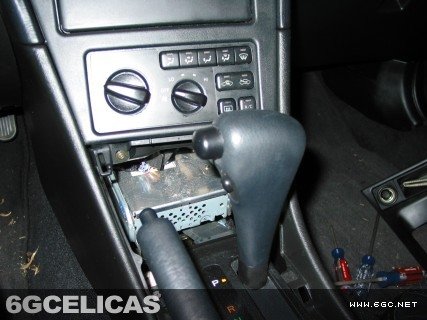
Check for factory amplifier to determine where you'll make your wiring connections:
Amplifier identification:
- Look for rectangular silver metal box below heater controls
- If absent: Connect harness directly behind radio location
- If present: Access factory wiring at amplifier location instead
Connection approach by system type:
- Non-amplified: Standard radio removal and connection
- Amplified: Disconnect factory wires from amp, connect harness there
- Same harness works for both - only connection location differs
Step 4: Head Unit Removal and Wiring Access
Trim panel removal:
- Remove two screws visible below heater/AC controls
- Pry up trim around heater controls, stereo, and vents
- Upper left corner (hazards area) requires extra force
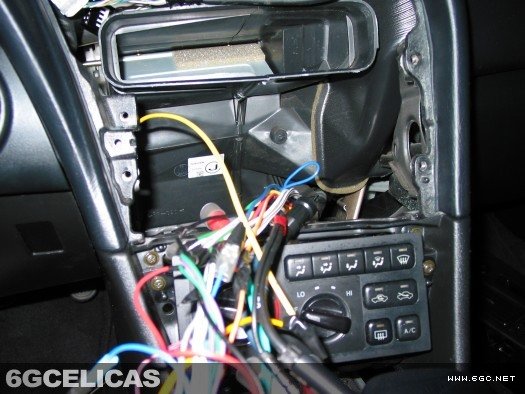
- Disconnect all wiring from back of trim panel
- Push tab while pulling connector for proper removal
Stereo extraction:
- Remove four screws securing stereo unit
- Lift out unit and access factory wiring connectors
- Note: Some systems have dual antenna cables - either works
Factory amplifier systems:
- If factory amp present, you may need additional trim removal for amplifier access
- Disconnect factory connectors from amplifier instead of radio
- Connect your harness to these same factory connectors
Step 5: Bracket Modification and New Unit Installation
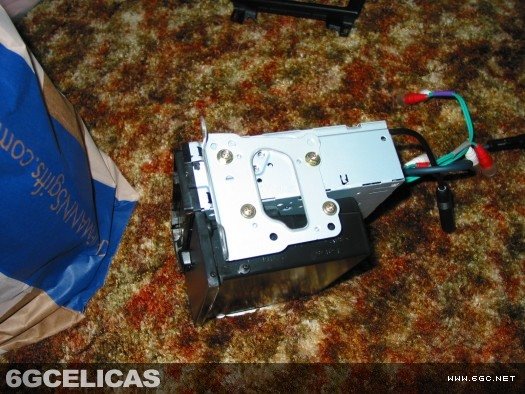
Bracket preparation:
- Remove screws attaching brackets to old stereo
- Install brackets on new aftermarket head unit
- Check screw hole alignment
Common fitment issue solution:
- Factory stereo has slots for pocket tabs - aftermarket units don't
- Tabs cause new stereo to sit high, misaligning screw holes
- Solution: Use razor blade to trim tabs until holes align properly
- Test-fit frequently during trimming process
Step 6: Final Connections and Assembly
Electrical connections:
- Connect wiring harness to vehicle's factory wiring
- Connect harness to new head unit
- Connect antenna cable (test both if dual cables present)
- Verify all connections are secure
Final assembly:
- Reinstall all trim panels in reverse order
- Reconnect battery terminal
- Test all head unit functions
- Verify dash panel fit and operation
🎯 Installation Results & Considerations
Upgrade Benefits
- Modern audio features (Bluetooth, USB, etc.)
- Improved sound quality
- Enhanced user interface
- Smartphone integration
Appearance Notes
- Detachable face units protrude from dash
- Face removal makes unit flush with dash
- Custom brackets can achieve flush mounting
- Professional appearance with proper installation
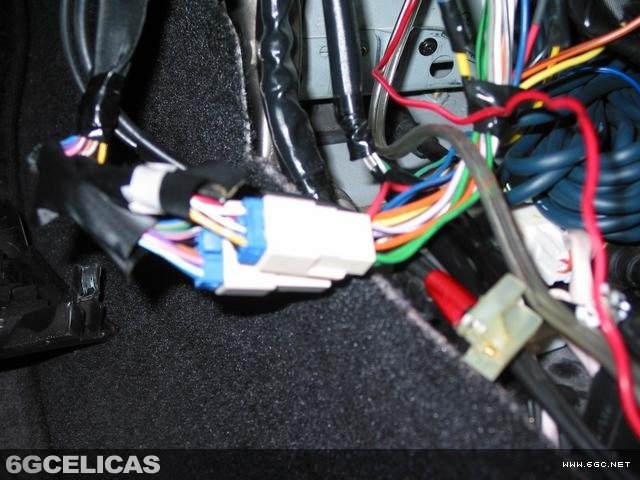
📸 Installation Gallery
💡 Professional Installation Tips
- Wiring quality matters: Invest in proper connections - solder and heat shrink for reliability
- Test before final assembly: Verify all functions work before reinstalling trim
- Factory amp complexity: Consider professional installation if factory amplified
- Dash protection: Always tape screwdriver tips to prevent scratches
- Bracket modification: Take time to properly fit brackets - affects final appearance
- Documentation: Take photos during disassembly for reassembly reference