
Overview
Transform your Celica's interior aesthetics by changing the stock green climate control lighting to any color you desire. This detailed modification covers complete disassembly, painting techniques, and reassembly for a professional custom lighting result.
🕒 Time Required: 1 full day (drying time)
💰 Cost: $15-25 (paint and supplies)
🔧 Tools: Basic hand tools, paint supplies
Required Tools & Materials
Essential Tools
- Small Phillips head screwdriver
- Standard screwdriver
- Needle-nose pliers (optional)
- Clean workspace
- Good lighting
Paint Supplies
- Translucent spray paint (desired color)
- Masking tape
- Fine masking film/paper
- Tack cloth or lint-free rags
- Well-ventilated workspace
💡 Important Planning Notes
- Full day project: Allow time for paint drying between coats
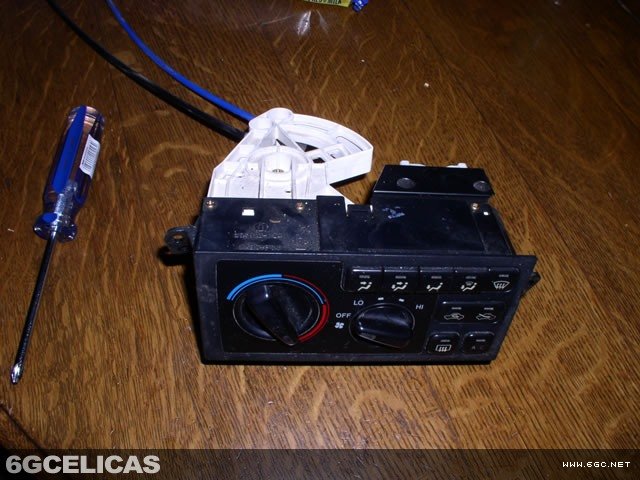
- Cable management: Climate unit has cables that must be carefully routed
- Paint selection: Use translucent paint for proper light transmission
- Spare bulbs: Part #84999-70007 (3 required) available from Toyota dealer
Step 1: Dashboard Panel Removal
Begin by removing the dashboard trim panels to access the climate control unit.
Lower panel removal:
- Remove the panel surrounding the shifter - it simply pulls out
- Panel is held by four clips that release with gentle pulling
Upper panel removal:
- Remove two screws from the bottom of the panel above shifter area
- Pull panel out carefully - it's held by clips
- Disconnect two wiring harnesses near the top before full removal
Step 2: Climate Control Cable Disconnection
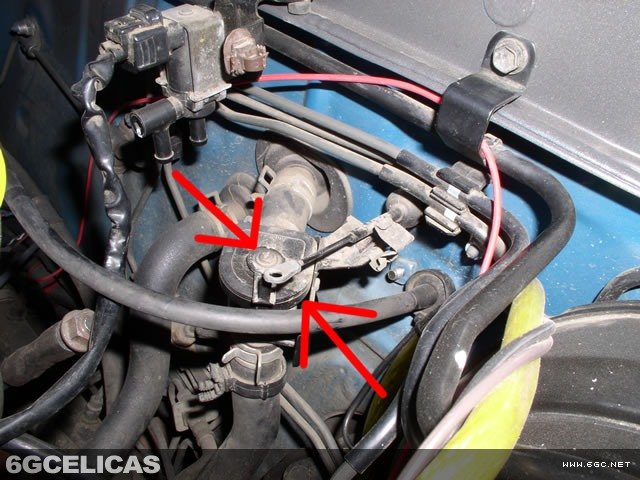
The climate control unit has two cables that must be disconnected before removal:
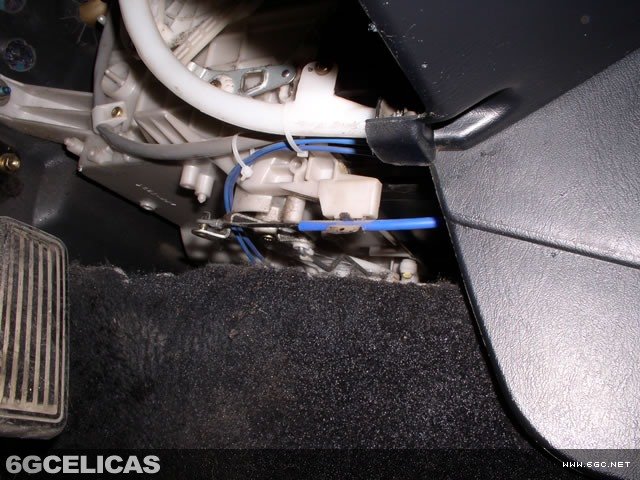
Blue cable (interior):
- Located to the right of the gas pedal
- Pull cable out of the retention snap
- Pinch the top of the pin and slide cable end up and off
Black cable (engine bay):
- Located near the top of driver's side firewall
- Undo the retention clip
- Cable will come off the top of the pin
Step 3: Climate Control Unit Removal
With panels and cables disconnected, remove the climate control unit:
- Remove the two remaining screws holding the unit in place
- Disconnect the three electrical harnesses from the back
- Unit pulls out with cables still attached
Take photos of harness connections for reassembly reference.
Step 4: Unit Disassembly
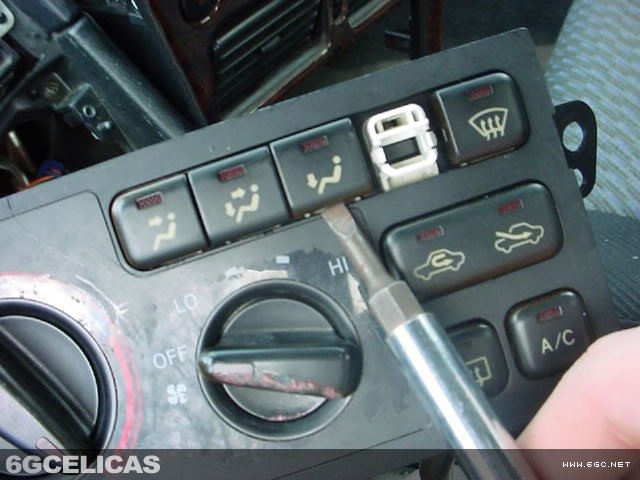
Initial disassembly:
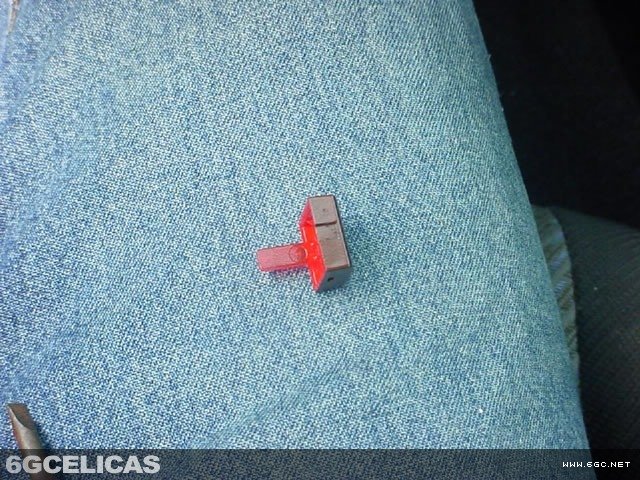
- Remove blue rear defroster switch - it snaps in place
- Bend tab back slightly and slide piece out
Complete disassembly:
- Remove locking notches around the unit perimeter
- Remove multiple small screws securing case halves
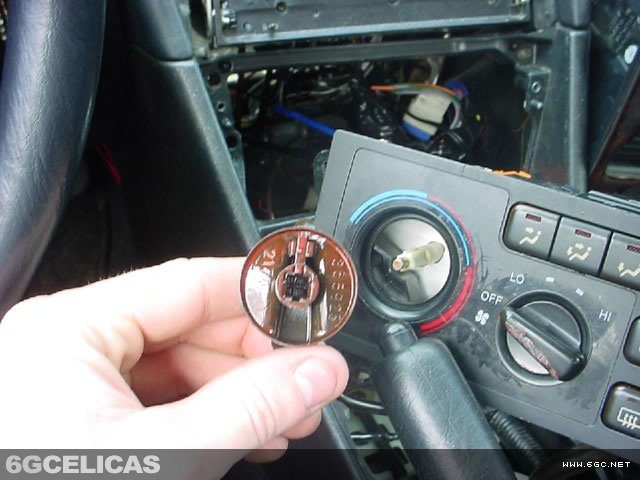
- Separate unit and remove all knobs
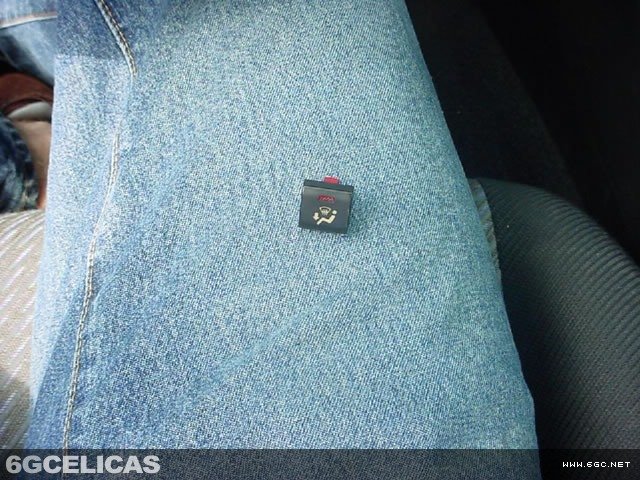
- Use small Phillips screwdriver to push buttons out from front
Step 5: Masking and Paint Preparation
Proper masking is critical for professional results:
Mask these areas (keep black):
- Black exterior surfaces of buttons
- Black exterior surfaces of knobs
- Any surfaces that don't need color change
Paint these areas (color change):
- Back surfaces of all buttons
- Light reflectors extending from buttons
- Clear areas on knobs
- Flat area on unit front where fan speed indicators are located
Step 6: Paint Application
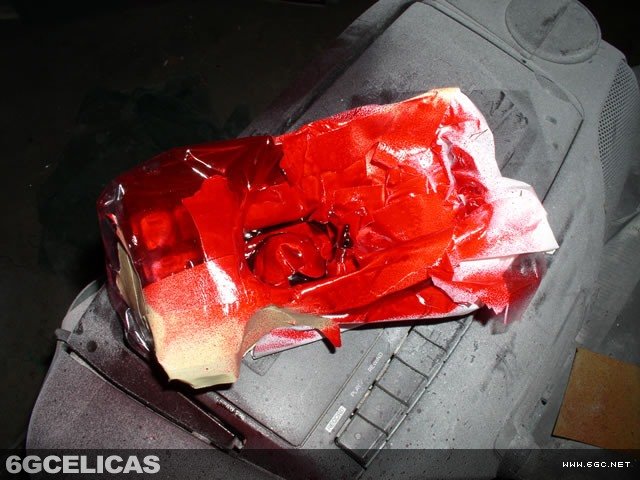
Painting technique:
- Apply two light coats rather than one heavy coat
- Allow adequate drying time between coats
- Use smooth, even strokes
- Work in well-ventilated area
Drying process:
- Allow paint to completely cure before handling
- Follow manufacturer's recommended drying times
- Protect from dust during drying process
Step 7: Reassembly and Installation
Unit reassembly:
- Carefully reassemble all components in reverse order
- Ensure all buttons and knobs operate smoothly
- Verify all electrical connections are properly seated
Installation:
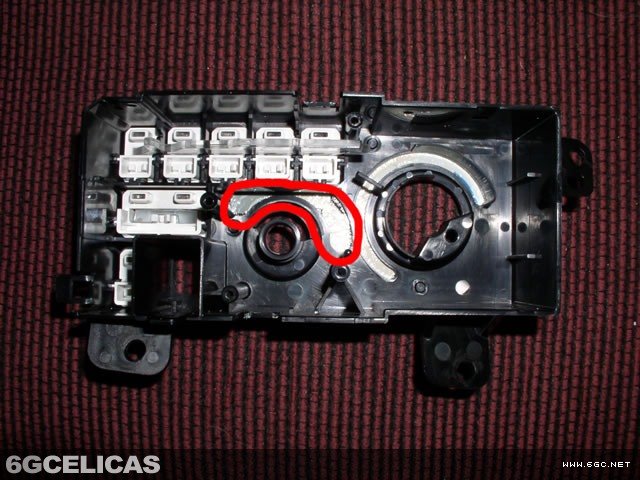
- Guide black cable into white tube during installation
- Route blue cable to correct position
- Reconnect three electrical harnesses
- Secure unit with mounting screws
- Reconnect both control cables
- Reinstall dashboard panels
🎯 Custom Lighting Results
Visual Enhancement
- Custom interior color scheme
- Professional appearance
- Unique personalization
- Enhanced night visibility
Popular Color Options
- Blue (matches gauge clusters)
- Red (sporty appearance)
- White (modern, clean look)
- Amber (vintage racing style)
📸 Process Gallery
💡 Pro Tips
- Paint selection: Use only translucent paints to maintain light transmission
- Documentation: Take photos during disassembly for reassembly reference
- Patience required: Allow full cure time - rushing leads to fingerprints and damage
- Backup plan: Keep spare bulbs on hand (Toyota part #84999-70007)
- Test operation: Verify all functions work before final panel installation
- Cable routing: Take time to properly route cables during reinstallation